Most home users do not evaluate antivirus software the way a laboratory or an enterprise IT team does. They care about whether the tool feels trustworthy in daily life: Does it stay out of the way? Does it explain what it is doing? Does it avoid constant upselling? Does it still catch the problems it claims to stop? Understanding these everyday signals helps people choose and keep using protection that actually fits their households.
I have watched many non-technical users install security software and then later disable or ignore it. The reasons were rarely about detection scores alone. The tool interrupted work with unclear warnings, demanded attention for features the user never asked for, or created more confusion than confidence. Trust, for ordinary users, is built through consistent, low-friction behavior over time.
Clear Status and Predictable Behavior
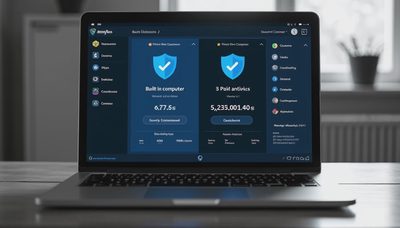
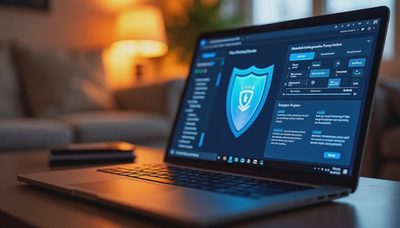
The first thing most people notice is the main status screen. A trustworthy tool makes the current protection state obvious at a glance—protected, at risk, or action needed—without requiring the user to interpret technical graphs or nested menus. When a scan runs or a threat is found, the message should explain what happened in plain language and offer a clear next step.
Unpredictable behavior erodes trust quickly. Sudden full-system scans that slow the computer during video calls, pop-ups that appear without context, or settings that change after an update all create the feeling that the software is acting on its own agenda. Tools that reserve interruptions for genuine issues and otherwise remain quiet tend to stay enabled longer.

Transparent About What It Can and Cannot Do
No antivirus catches everything. Tools that acknowledge limits and focus on strong performance against common threats feel more honest than those that imply perfect protection. Overstated claims—“complete protection,” “guaranteed safety,” or similar language—set expectations that reality cannot meet. When an incident eventually occurs, the gap between promise and outcome damages confidence.
Trustworthy products tend to describe their strengths in concrete terms: solid malware detection, web filtering for known bad sites, behavior monitoring for suspicious activity. They also make it easy to see recent detections and the actions taken. Users who can review a simple history of what the tool has blocked feel more in control and less dependent on marketing language.
Respect for the User’s Attention and System Resources
Constant upselling is one of the fastest ways to lose trust. Free tools that interrupt every session with upgrade prompts, or paid tools that push additional modules the user never selected, train people to ignore the software entirely. A product that limits notifications to security-relevant events and keeps performance impact modest during normal use earns more lasting acceptance.
Resource usage matters in daily life. A tool that consistently slows web browsing, video playback, or file transfers will eventually be disabled or replaced, regardless of its laboratory scores. Independent tests that measure both detection and system impact give a more complete picture than detection percentages alone. For home users, the combination of reliable protection and acceptable speed is what keeps the software running.

Straightforward Installation and Recovery Options
The installation experience sets early expectations. A clean setup that does not bundle extra toolbars, change the browser homepage, or require multiple decisions about unrelated features starts the relationship on better footing. Tools that respect existing browser and system settings feel more like protection and less like an aggressive sales channel.
When something is detected, the quarantine and recovery process should be understandable. Users need to see what was found, where it came from if possible, and whether the item can be restored if it was a false positive. Clear logs and a simple restore option prevent the feeling that the software is deleting files arbitrarily. Support resources—whether documentation or responsive help—further reinforce trust when an unusual situation arises.
Consistency Across Updates and Devices
Trust grows when the tool behaves consistently after updates and across the devices covered by a license. Sudden interface redesigns that hide familiar controls, or large differences in protection quality between Windows and other platforms, create uncertainty. Multi-device products that offer a simple, unified view of status help households confirm that everything remains protected without requiring separate deep dives on each machine.
Long-term reputation also matters. Products that have maintained strong independent test results over multiple years, and that have avoided major trust-breaking incidents, give ordinary users a reasonable basis for confidence. Short-term spikes in scores or aggressive new marketing campaigns are less useful signals than sustained performance and predictable conduct.
How Ordinary Users Can Apply These Signals
When evaluating or re-evaluating antivirus software, a short practical checklist works better than exhaustive feature comparisons:
Is the main status clear within a few seconds of opening the program?
Does the tool explain detections in plain language and offer obvious next steps?
Are notifications limited to security events rather than frequent upgrade prompts?
Does everyday computer use still feel responsive after installation?
Can you easily review what the tool has blocked recently?
Is the company transparent about test results and known limitations?
Answering these questions from direct experience or recent, detailed user feedback often reveals more about real-world trustworthiness than marketing pages alone.
Safe enough starts with clear choices. For normal users, a trustworthy antivirus tool is one that protects without constant drama, explains itself when it acts, respects system resources and attention, and maintains consistent behavior over time. Detection strength remains essential, yet the daily experience of clarity and restraint is what keeps the protection active and believed.
Related articles in the Antivirus Picks section examine free versus paid differences and recommendations for families and simple home use. The same practical standard applies: choose tools whose everyday behavior matches the level of trust you need to keep them running.