
Some of the most effective browser-based threats never look like threats at all. They appear as coupon finders, productivity helpers, dark-mode tools, weather widgets, or free PDF converters. Once installed, they can read page content, inject extra ads, redirect searches, or quietly collect browsing data. In a subset of cases they serve as the entry point for more direct malware. Understanding why these extensions succeed—and how to reduce their presence—gives everyday users a practical defense that does not require constant technical vigilance.
I have helped many people clean up browsers that had grown slow, ad-heavy, or strangely redirective. In a large share of those cases the root cause was one or more extensions that had been installed months earlier during a moment of convenience. The user remembered only that the tool promised a small benefit. The broader permissions and later behavior were never examined.
Why Harmless-Looking Extensions Work
Browser extensions request permissions at installation. Many legitimate tools ask for broad access because they need to modify pages or read content to function. Malicious or gray-area extensions take advantage of the same permission model. Once granted access to “read and change all your data on websites you visit,” an extension can observe logins, inject scripts, or alter what the user sees.
The initial value proposition is usually modest and believable: save money with coupons, remove annoyances, improve focus, or add a small convenience. Because the request feels low-stakes, users often approve permissions without reading them. After installation the extension may behave usefully for a period, then expand its activity, display more ads, or update itself with additional capabilities. By the time the browser feels different, the connection to that one install is no longer obvious.
Common Categories That Hide Risk
Certain categories appear repeatedly in cleanup work:
Coupon and shopping helpers that claim to find better prices
Free media downloaders or converters
“Speed boosters” or cleaner tools for the browser
Theme or dark-mode extensions from unknown publishers
Productivity add-ons that promise tab management or focus modes with little track record
Not every extension in these categories is malicious. Many are useful and well-maintained. The risk rises when the publisher is unknown, the user count is very low, reviews mention unexpected ads or redirects, or the permission list is far broader than the stated function requires. An extension that only needs to work on one or two shopping sites should not require access to every site the user visits.
Signals Worth Checking Before and After Installation
Before installing any extension, a short review reduces exposure:
Prefer the official browser extension store over third-party download sites.
Look at the publisher name and whether it matches a known company.
Read recent reviews for mentions of ads, redirects, or sudden changes in browser behavior.
Expand the permissions list and ask whether each permission is necessary for the claimed function.
Check the number of users and the last update date; very new extensions with almost no users carry higher uncertainty.
After installation, watch for changes: new toolbars, altered search results, unexpected pop-ups, or slower page loads. If any of these appear, the extension list is the first place to look.
A Practical Cleanup and Prevention Routine
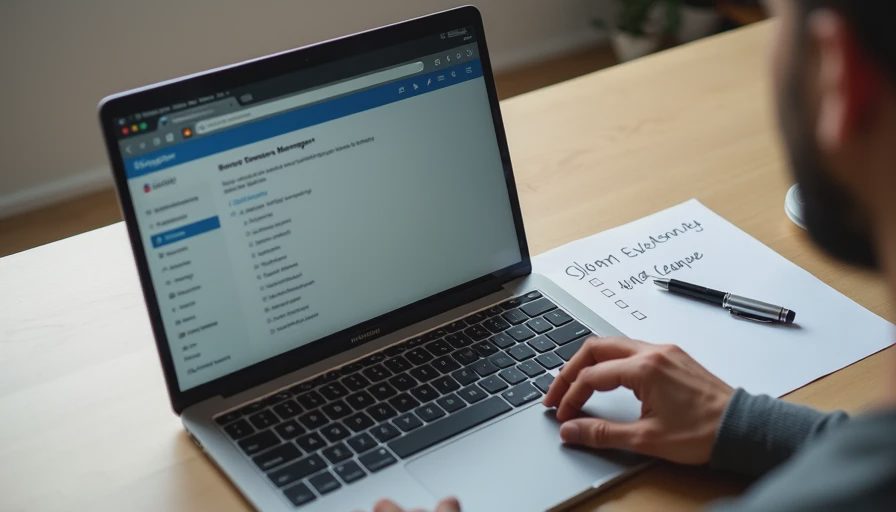
Most households benefit from a periodic, low-effort review rather than continuous monitoring:
Open the browser’s extension management page.
Remove anything no longer used or no longer recognized.
For remaining extensions, confirm the publisher and permissions still make sense.
Restart the browser and notice whether speed or behavior improves.
Going forward, treat every new extension request as a small security decision rather than a casual click.
This routine takes only a few minutes and often eliminates the source of ads, redirects, or unexplained slowdowns. It also limits the number of components that can later be updated into more aggressive behavior.
If an extension cannot be removed normally, or if browser settings keep changing after removal, a deeper check with the existing antivirus or security tool is warranted. In some cases a reset of browser settings to default is the cleanest recovery path, followed by careful re-addition of only the extensions still needed.
Balancing Convenience and Exposure
Completely avoiding extensions is unrealistic for many people. The practical goal is intentional scarcity: keep the few tools that deliver clear, ongoing value, and remove the rest. A shopping extension used several times a week from a reputable publisher is a different risk profile from a free converter installed once and forgotten. The same principle applies to productivity and appearance tools.
When an extension requests broad permissions, decide whether the benefit justifies the access. If the answer is unclear, the safer default is to skip the install or look for a more limited alternative.
Safe enough starts with clear choices. Malicious browser extensions succeed because they look helpful at the moment of installation and only later reveal their cost. A short habit of reviewing permissions, preferring known publishers, and periodically cleaning the extension list removes many of the quietest risks that still affect ordinary browsers. The browser remains useful; the number of untrusted components simply stays smaller.
Related articles in the Risk Signals section cover common malware entry points and fake virus alerts. The same practical standard applies: small, repeatable checks that reduce exposure without requiring users to become security specialists.