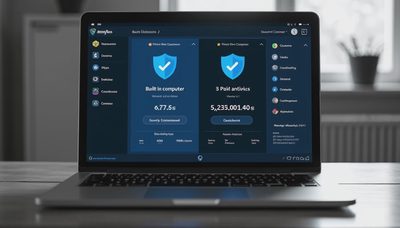
Bitdefender vs Windows Defender is a practical comparison for anyone trying to protect a Windows laptop or desktop without wasting money on features they will never use. Both can scan downloads, monitor suspicious activity, and block common malware, but they approach security differently. Windows Defender is built into Windows, while Bitdefender offers a broader security suite with additional tools and subscription options. Start with the risk you actually have: browsing habits, family devices, shopping activity, and the consequences of one unsafe click.
What Windows Defender Includes
Windows Defender is now generally presented inside the Windows Security app, and its antivirus component is called Microsoft Defender Antivirus. It is included with supported Windows versions, so there is no separate download or recurring antivirus bill. For many households, that simplicity is its biggest advantage.
Microsoft Defender provides real-time protection, cloud-assisted threat detection, firewall controls, ransomware-related settings, SmartScreen warnings, and security notifications. It also works with Windows Update and other built-in protections. A person who installs software from reputable sources, keeps Windows updated, and uses a modern browser may find this baseline sufficient.
The tradeoff is that Windows Defender is primarily a Windows solution. It does not automatically become a complete security system for an iPhone, Android phone, Mac, or every family member's device. Some settings, including controlled folder access and reputation-based protection, can also feel technical when Windows displays a warning without explaining the safest next step in everyday language.
What Bitdefender Adds
In the Bitdefender vs Windows Defender discussion, Bitdefender stands out because it sells security products designed to add layers beyond the built-in Windows baseline. Depending on the plan, those layers can include web protection, scam and phishing defenses, vulnerability scanning, anti-tracking tools, password management, VPN access, identity-related features, and coverage for multiple devices.
Bitdefender's interface is designed to put common actions in one place. A household can usually start a scan, review alerts, turn on a safer browsing feature, or check device security without searching through several Windows menus. Some plans also support macOS, Android, and iOS devices, although the features differ by operating system. Read the plan details rather than assuming every feature works identically everywhere.
Paid Bitdefender plans commonly use promotional pricing for the first term, followed by a higher renewal price. The first-year offer can look attractive, but the renewal amount matters more when calculating long-term cost. A subscription can make sense when one account covers several computers and phones, especially if the alternative is buying separate products.

Bitdefender vs Windows Defender for Everyday Threats
For ordinary risks, both products are meant to stop malicious files and suspicious behavior before damage spreads. That includes a harmful email attachment, an installer bundled with unwanted software, or a download from a fake utility website. Neither product can make a risky decision safe after a user deliberately ignores a warning and grants an unknown program access.
Windows Defender benefits from being deeply integrated into the operating system. It can operate quietly in the background and is less likely to create confusion caused by two competing antivirus engines. Installing a second full antivirus product normally causes the built-in real-time protection to adjust or turn off, so running both as active antivirus programs is not a good strategy.
Bitdefender can be more helpful for users who want extra warnings around phishing pages, suspicious links, trackers, or questionable websites. That does not replace careful behavior. A fake delivery message can still persuade someone to type a password into a convincing page, particularly if the person is using a phone or an account that the antivirus cannot fully inspect.
Which Option Is Easier to Live With?
Windows Defender wins on setup. It is already present on a Windows computer, does not require another account in many situations, and does not add a subscription reminder to the household budget. Updates arrive through Microsoft's normal security process. For a single laptop used for email, banking, schoolwork, and streaming, that low-maintenance approach is compelling.
Bitdefender can be easier when a family wants one dashboard and more visible controls. A parent managing several devices may prefer receiving a single alert system rather than checking Windows Security separately on every computer. Extra tools can also make it easier to spot outdated applications, weak device settings, or risky browsing patterns.
The cost of convenience is complexity. Bitdefender may show recommendations, subscription prompts, or optional features that a casual user does not need. Windows Defender may show fewer extras but leave more responsibility with the user. The better experience depends on whether the household wants a quiet baseline or guided, broader coverage.
Privacy, Performance, and False Alarms
Both services need access to security information to identify threats, which makes privacy settings worth reviewing. Check what data is collected, which cloud features are enabled, and whether optional marketing or identity services are included. Trust matters before the click, and it also matters before installing software that runs continuously on a personal computer.
Modern antivirus programs are generally designed to avoid slowing normal tasks, but scans can use noticeable CPU, memory, and disk resources. A budget laptop with limited storage may feel a difference during a full scan. Schedule intensive scans for a time when the computer is not being used for a video call, gaming session, or large file transfer.
False alarms are another practical concern. A security warning is not proof that a file is dangerous, but it deserves attention. Do not add an unknown download to an exception list simply because it will not open. Instead, delete it, obtain the program from the developer's official website, and scan again if the warning persists.

Bitdefender vs Windows Defender for Different Households
Windows Defender is a reasonable starting point for a careful user with one Windows PC, automatic updates enabled, a current browser, strong account passwords, and regular backups. It is also appropriate when the budget is tight and the household would rather spend money on a password manager or cloud backup. Free protection is useful when it is paired with good habits.
Bitdefender is more attractive for a family that owns several devices, wants cross-platform coverage, or prefers dedicated phishing and privacy features. It can also suit a remote worker who routinely downloads documents, joins unfamiliar video meetings, and handles sensitive work accounts. A broader suite is not a substitute for employer security requirements, but it can reduce the number of settings a household must manage manually.
If an older relative frequently sees fake support popups, or a child downloads game mods from unofficial sites, the additional web and behavior protections may justify the subscription. The safest choice is the one that fits actual behavior and gets updated, not the product with the longest feature list.
A Simple Decision Before You Install
Begin by checking whether Windows Security shows real-time protection, firewall protection, and reputation-based protection turned on. Confirm that Windows Update is working and remove expired trial antivirus programs. An old, inactive subscription can create confusion without providing meaningful protection.
Next, list the devices that need coverage and the activities that create the most exposure. Include online shopping, payment apps, school portals, work accounts, gaming, file sharing, and shared family computers. Then compare the full Bitdefender renewal price with the value of its device count and extra features. If you choose it, download the installer from Bitdefender's official site, enable automatic updates, and let the product remove or disable incompatible antivirus software.
If you stay with Windows Defender, strengthen the surrounding habits: use multifactor authentication, keep browsers updated, back up important files, and avoid cracked software and unofficial installers. Antivirus catches many problems, but it cannot recover every stolen password or reverse every payment scam.
Final Recommendation
The practical conclusion in Bitdefender vs Windows Defender is not that one product makes a household invulnerable. Windows Defender offers a capable, no-extra-cost baseline with excellent convenience for Windows users. Bitdefender earns consideration when a family wants broader device coverage, more guided controls, or additional protection around websites and privacy.
For a careful single-PC user, start with Windows Defender and improve account security. For a busy household managing several devices or frequent risky downloads, compare Bitdefender plans by renewal price and supported features before buying. Safe enough starts with clear choices: use one active antivirus, keep it updated, and pair it with habits that make suspicious links and fake downloads easier to reject.