Fake virus alerts have been around for years, yet they continue to generate real infections, unnecessary support calls, and stolen payment information in 2026. The pages look less crude than they once did. The logos are sharper, the technical language is more convincing, and the sense of urgency is carefully timed. Understanding why people still click them is more useful than simply repeating “don’t click.” This article examines the tactics that make fake virus alerts effective and the practical habits that reduce their success rate for everyday users.
I have walked many people through the aftermath of these alerts. Some had already called the number on the screen. Others had downloaded the “removal tool” the page offered. A few had given remote access to someone who claimed to be support. In almost every case the person was not careless in a general sense. They were interrupted, worried, and trying to solve what looked like an immediate problem with their computer.
The Alert Is Designed to Short-Circuit Judgment
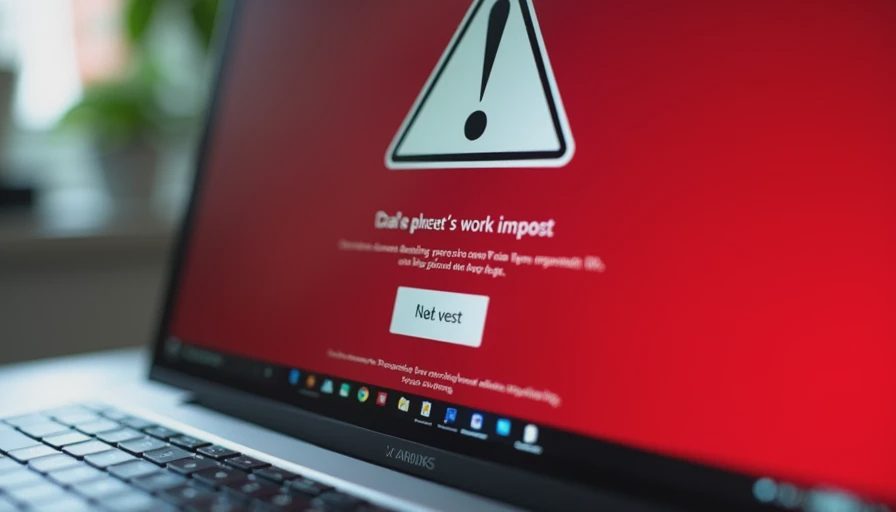
A typical fake virus alert does several things at once. It fills most or all of the browser window so the normal interface disappears. It uses red or bright warning colors and familiar security logos. It claims the device is locked, infected, or about to lose files. It often includes a countdown or a statement that the problem will worsen if action is not taken immediately. Finally, it offers a clear next step: call a phone number or download a tool.
These elements work together to create time pressure and emotional arousal. When people feel that something bad is happening right now, they are more likely to act on the first solution presented and less likely to pause and verify. The design deliberately reduces the chance of a careful second look.
Why the Language Feels Believable
Modern fake alerts borrow the vocabulary of real security tools. They mention specific threat names, scan results, certificate errors, or system file damage. They sometimes reference the user’s browser or operating system version. This surface-level accuracy makes the message feel technical and therefore more credible to someone who does not work in IT.
The critical difference is that legitimate security software almost never freezes the entire browser and demands an immediate phone call to an external number. Real Windows notifications and reputable antivirus alerts appear inside the normal system interface and point the user toward built-in tools or the vendor’s official support channels. When a warning takes over the screen and pushes a phone number or a sudden download, that combination itself is a strong signal that the alert is not genuine.
Common Follow-On Paths After the Click
People who interact with these alerts usually follow one of three paths.
Some call the displayed number. The person who answers claims to be technical support, asks for remote access, and then either charges for unnecessary “repairs” or installs additional malware while claiming to clean the system.
Others download the offered removal tool. The file may be malware itself or a potentially unwanted program that opens the door to further software.
A smaller group tries to close the page and finds that normal closing methods do not work. This increases panic and makes the phone-number option look like the only remaining solution.
In each path the initial click or call is the moment the user loses control of the situation. Preventing that first interaction is the highest-leverage defense.

Practical Habits That Reduce Success Rates
A few consistent responses make these alerts far less effective:
Treat any full-screen browser warning that demands immediate action or a phone call as suspicious by default.
Force-close the browser using Task Manager (Ctrl + Shift + Esc on Windows) or the equivalent on other systems rather than clicking buttons on the page.
After the browser is closed, run a scan with the antivirus or security tool already installed on the device. Do not download a new tool from the warning page.
Remember that real security alerts from Windows or a reputable antivirus product do not require you to call a phone number displayed in the browser.
If the computer is genuinely acting broken—constant crashes, files disappearing, extreme slowdowns—start with the official support channels of the operating system or your existing security software rather than numbers that appear in pop-ups.
These steps do not require technical expertise. They only require the willingness to pause when urgency is being pushed hard.
What to Do If You Already Interacted
If you already called the number or downloaded a file, disconnect the device from the internet if possible and run a full scan with a trusted security tool. Change passwords for important accounts from a different, known-clean device, starting with email. Review recent account activity for signs of unauthorized access. If remote access was granted, assume the device may need a deeper cleaning or professional review.
Acting quickly limits the damage. Many people hesitate because they feel embarrassed; the practical response is simply to treat the incident as a solvable problem and move through the recovery steps.
Why These Alerts Persist
Fake virus alerts continue to appear because they still convert a percentage of viewers into phone calls or downloads. The people behind them refine the design, test new wording, and rotate domains faster than block lists can always keep up. As long as the tactic remains profitable, it will keep evolving.
The defense that scales for ordinary households is not perfect detection of every new variant. It is a small set of habits that interrupt the urgency and prevent the first irreversible action. When enough users refuse to click or call, the economic incentive for the scam declines.
Safe enough starts with clear choices. Recognizing that a full-screen warning plus a phone number is itself a red flag removes the power of most fake virus alerts before any download or conversation begins. The pause, the force-close, and the scan with tools you already trust are usually enough to end the incident.
Related articles in the Risk Signals section cover common malware entry points and browser behaviors that increase risk. The same practical standard applies: small, repeatable responses that ordinary users can maintain under pressure.