
Choosing secure payment methods online shopping requires more than looking for a familiar logo at checkout. A trustworthy purchase starts with the store, the device, the connection, and the way your payment information is handled. Most shoppers do not need advanced cybersecurity skills. They need a few repeatable checks that fit into a normal purchase, whether they are ordering school supplies, replacing a phone charger, or buying a birthday gift.
The goal is not to eliminate every possible risk. Start with the risk you actually have: fake stores, stolen card details, account takeovers, delivery scams, and payment pages designed to rush you. Safe enough starts with clear choices, and trust matters before the click.
Which payment options offer the best protection?
Credit cards are often one of the strongest choices for online purchases because they usually provide fraud monitoring and a dispute process for unauthorized charges or goods that never arrive. A credit card also keeps a merchant from directly accessing money already sitting in your checking account. That separation can make a fraudulent transaction less disruptive to your household budget.
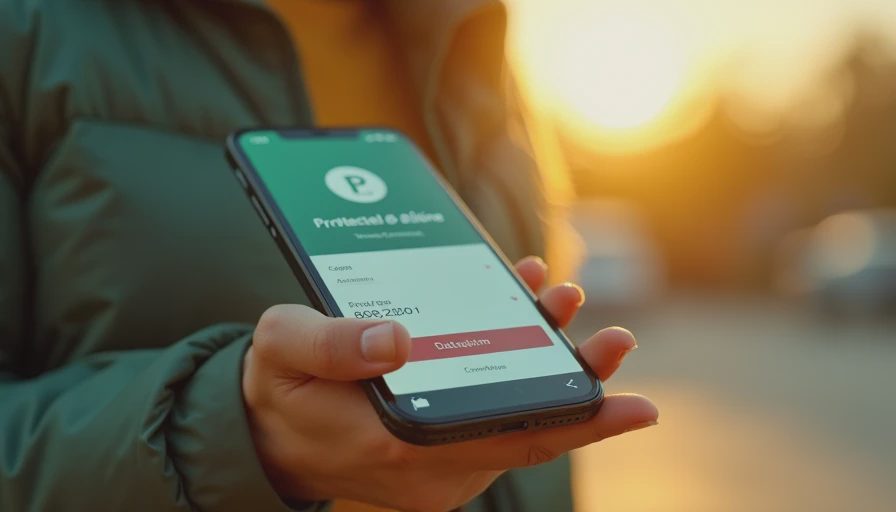
Digital wallets such as Apple Pay, Google Pay, and PayPal can add another useful layer. Depending on the transaction, the merchant may receive a token or wallet-specific account number rather than your actual card number. Wallets also make it easier to require Face ID, a fingerprint, or a device passcode before payment. PayPal may offer purchase protection for qualifying transactions, but coverage has rules and exclusions, so read the terms before relying on it for an expensive order.
Debit cards are convenient, but they draw directly from a bank account. If a scammer obtains the card details, your money can be tied up while the bank investigates. For routine online purchases, a credit card or established digital wallet is generally a better first choice than a debit card. Prepaid cards can limit exposure, but they are not automatically safe, especially when a scammer demands payment by gift card or prepaid code.

Check the store before entering payment details
Secure payment methods online shopping cannot compensate for a fake retailer. Before checkout, inspect the website address carefully. Look for misspellings, unusual extra words, or a domain that does not match the company name. A padlock and HTTPS indicate an encrypted connection, but they do not prove that a store is honest. Scam websites can use HTTPS too.
Search for the retailer independently instead of relying on a social media ad. Read recent reviews across more than one source, and look for a physical address, working customer service contact, shipping information, and a clear return policy. Be cautious when a new site offers a popular $900 laptop for $199, uses awkward product descriptions, or pushes a countdown timer that resets when you reload the page.
Use a separate browser tab to find the company’s official site rather than clicking a payment link in an unexpected email or text. A message claiming that your delivery is on hold may lead to a lookalike checkout page designed to capture your card number. When in doubt, open the retailer’s app or type its known address yourself.
How to make checkout safer
Before paying, update your phone, computer, browser, and security software. Updates close known weaknesses that criminals can exploit. Avoid making purchases on public Wi-Fi at airports, hotels, or coffee shops unless you trust the network and have a secure connection. Cellular data or your home network is usually the simpler option.
Use a unique password for each shopping account, especially when the account stores your address or payment information. A password manager can create and fill strong passwords without requiring you to memorize dozens of them. Turn on multifactor authentication when a retailer supports it. An authenticator app or passkey is usually stronger than a text message, although either option is better than using only a password.
Secure payment methods online shopping work best when you review the final screen slowly. Confirm the merchant name, item price, shipping cost, subscription language, and total before selecting Pay. Watch for prechecked boxes that add warranties, memberships, or recurring shipments. Save the confirmation email and order number, but do not send a full card number in response to a customer service message.
Payment apps and peer-to-peer purchases need extra care
Venmo, Cash App, Zelle, and similar services are useful for people you know, but they are not all designed like a credit card checkout. A payment sent to the wrong person or a scammer may be difficult to reverse. Never use a peer-to-peer payment app simply because an unfamiliar seller insists it is the only option.
For marketplace transactions, keep messages and payment inside the platform when possible. Do not accept a screenshot as proof of payment. Check your actual bank or app balance, and do not ship an item because someone says a payment is pending. Be suspicious of overpayment schemes in which a buyer sends too much and asks you to refund the difference. The original payment may later be reversed, leaving you responsible for the money you returned.
If a seller asks for gift cards, cryptocurrency, wire transfers, or a “verification payment” to release a package, stop. These requests remove many of the protections available through a card or established checkout system. Secure payment methods online shopping should give you a clear record and a realistic path to resolve a problem.
What to do after a suspicious transaction
Act quickly if you notice an unfamiliar charge. Lock or freeze the card through your banking app if that feature is available, then contact the issuer using the phone number on the card or the official banking website. Do not use a number supplied in a suspicious email. Ask whether the card should be replaced and whether other transactions require review.
Change the password for the affected shopping account, and change it anywhere else you reused it. Check recent account activity, saved addresses, forwarding settings, and newly added payment methods. Run a security scan if you downloaded an attachment or installed a browser extension during the shopping session. Keep screenshots, receipts, tracking details, and messages in case you need to dispute the charge.
For identity theft concerns, review your credit reports through AnnualCreditReport.com and consider placing a fraud alert or credit freeze. Those steps do not cost anything through the major credit bureaus, though each has a different process. Report phishing or fraud through the appropriate platform and your bank so the incident is documented.
A simple shopping safety routine
Use this five-step routine before most online purchases: confirm the retailer’s address, compare the price with established sellers, choose a credit card or trusted wallet, inspect the complete total, and save the receipt. That process takes less than two minutes once it becomes familiar.
Families can make the routine easier by agreeing that no one pays from an unexpected email link and that unusual requests get a second opinion. Parents can also disable stored cards on children’s shopping accounts and use purchase alerts. Older adults may benefit from bank text notifications and a short list of official customer service numbers kept outside their email inbox.
Secure payment methods online shopping are not about finding one magical service. They are about combining a protected payment source with a legitimate store, an updated device, a unique password, and a pause before approval. If a deal feels rushed or a seller avoids normal payment protections, walk away. A missed bargain is cheaper than recovering a compromised account.