The moment someone decides they need better protection is also the moment they become a target for fake security tools. Search results, pop-ups, and “free scanner” offers often lead to software that does little, displays constant alarms, or actively harms the device. A short list of trust signals checked before installation prevents most of these problems. This article walks through six practical signals that ordinary users can verify quickly.
I have cleaned up many machines after someone installed a tool that claimed to fix a virus warning or speed up the computer. In a large share of those cases the new software was the larger problem. The original worry may have been minor or even fabricated by the tool itself. Checking a few signals first would have steered the person toward legitimate options or toward the security features already present on the device.
1. Source of the Download
The first and most important signal is where the file comes from. Prefer the official website of a known vendor or the official app store for the platform. Avoid downloading security tools from third-party download portals, pop-up advertisements, or links inside unsolicited emails and messages.
If a page claims a free scanner has found problems and urges an immediate download, treat that combination as a warning rather than a solution. Real security software does not normally advertise itself through full-screen browser alarms that demand an instant download.

2. Company Identity and Track Record
Look for a clear company name, a working corporate website, and evidence that the vendor has existed for more than a brief period. Search for the company name together with terms such as “review,” “independent test,” or “complaint.” Established vendors usually appear in independent testing reports and have a volume of user discussion that spans years.
Very new brands that appear mainly through aggressive ads and offer dramatic free scans deserve extra caution. Lack of a verifiable history does not prove malice, yet it raises the bar for other signals that need to be strong.
3. Independent Test Results
Reputable security products participate in regular independent tests conducted by established laboratories. These tests measure detection rates, false positives, and sometimes system impact. A quick search for the product name plus “independent test” or the name of a well-known testing organization often surfaces recent results.
Absence from major independent tests is not automatically disqualifying for brand-new tools, but it removes one of the stronger external signals of competence. Products that publish only their own internal claims and never appear in third-party evaluations leave the user with less evidence to trust.
4. Permission and Installation Behavior
During installation, watch what the tool requests and changes. Legitimate security software may ask for elevated permissions because it needs to monitor system activity. It should not, however, bundle unrelated toolbars, change the browser homepage without clear consent, or install additional programs that were not requested.
If the installer presents multiple screens of optional offers or tries to rush through choices with pre-checked boxes for extra software, pause. The more aggressive the bundling, the lower the trust signal. A clean installer that focuses on the security product itself is preferable.
5. Transparency of Features and Limitations
Trustworthy vendors tend to describe what their product does in concrete terms and avoid absolute guarantees. Language that promises “complete protection,” “guaranteed removal of all threats,” or similar absolute claims is a weaker signal than clear descriptions of malware detection, web filtering, and behavior monitoring.
Look also for accessible documentation, a privacy policy, and a support path. Companies that make it difficult to find basic information about how the product works or how to contact support leave users with fewer ways to verify claims or resolve problems later.
6. Post-Install Behavior and User Feedback
After installation, the tool’s everyday behavior becomes its own trust signal. Excessive alarms about minor or fabricated issues, constant upselling, or significant slowdowns are practical reasons to reconsider. Recent user feedback focused on real-world experience—rather than star ratings alone—often highlights these patterns.
If the software generates fear-driven notifications that push immediate upgrades or additional purchases, treat that as a negative signal. Protection tools that stay relatively quiet except when genuine issues appear earn more lasting confidence.
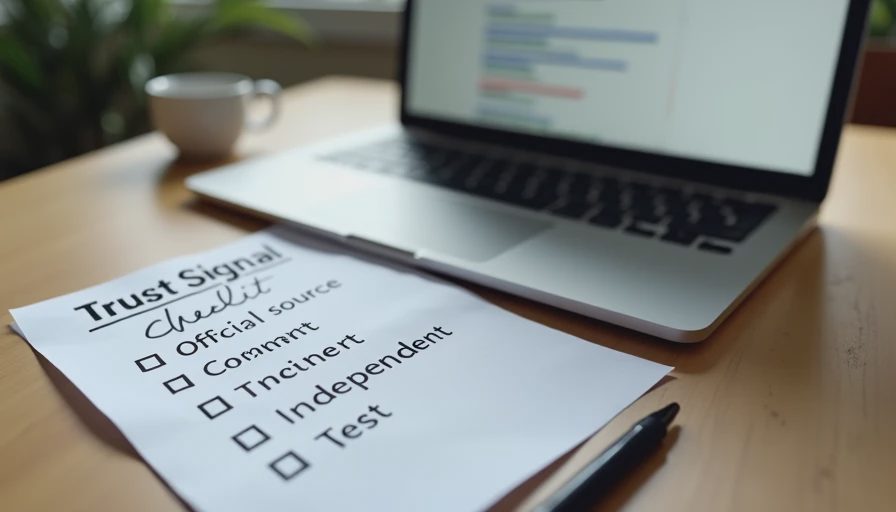
A Short Pre-Install Checklist
Before running any new security installer, run through these six points:
Is the download coming from the official vendor site or official store?
Does the company have a verifiable identity and multi-year presence?
Do independent tests exist and show consistent results?
Does the installer avoid aggressive bundling and unwanted changes?
Are features described concretely rather than with absolute guarantees?
Does recent user feedback describe acceptable daily behavior?
If several answers are weak or unclear, the safer choice is to stay with the existing system protections (such as Microsoft Defender on Windows) or to choose a well-documented product that passes more of the signals. Walking away from a questionable “free scanner” is often the highest-value decision available in that moment.
Safe enough starts with clear choices. Fake or low-quality security tools succeed by appearing at the exact moment a user feels worried. Checking the download source, company identity, independent tests, installer behavior, transparency of claims, and early user feedback removes most of these impostors before they can install. The few minutes spent on these signals protect both the device and the user’s future attention from unnecessary alarms and upsells.
Related articles in the Risk Signals section cover fake virus alerts and common malware entry points. The same practical standard applies throughout: small verification steps performed before irreversible actions deliver the largest reduction in everyday risk.