If you have connected a phone, laptop, smart TV, or printer to a home router, you may have wondered what is the network security key for wifi. In most homes, the answer is straightforward: it is the password that protects your wireless network. You enter it when joining Wi-Fi, and the router uses it to confirm that your device is allowed to connect.
The wording can be confusing because different routers, internet providers, and device makers use different names. You might see Wi-Fi password, wireless key, WPA key, security key, or passphrase. These usually refer to the same information. Understanding where to find it and how to protect it helps you avoid connection problems and keeps unknown devices off your network.
What the network security key actually does
The network security key creates a private link between your router and approved devices. When you type the key into an iPhone, Windows laptop, Android tablet, or game console, the device sends authentication information to the router. If the key matches, the device joins the network. If it does not, the connection fails.
Most current home routers use WPA2 or WPA3 security. WPA3 is the newer standard and offers stronger protection when both the router and device support it. WPA2 is still common and is generally appropriate when configured with a long, unique password. Older WEP security is outdated and should not be used if your router offers a newer choice.
This key is different from the router administrator password. The Wi-Fi key lets devices access the network. The administrator password lets someone change router settings, including the network name, security mode, and password. Keep both private, but treat the administrator password as especially sensitive.
A useful rule is to avoid using a name, street address, phone number, or familiar phrase as the key. A password such as KansasCity2024 is easy for a neighbor or visitor to guess. A longer phrase with unrelated words, numbers, and symbols is safer and easier to manage than a short string of random characters.
Where to find the Wi-Fi security key
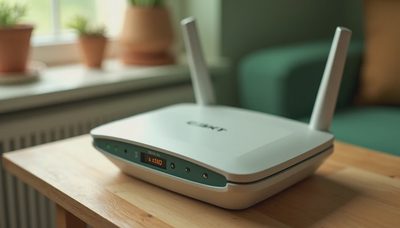
If you are asking what is the network security key for wifi because a new device will not connect, start with the router itself. Many internet providers print the default network name and password on a label attached to the back, bottom, or side. Look for labels such as Wi-Fi Password, Wireless Key, WPA Key, or Network Security Key. The information may be hidden behind a removable panel.
You can also check the paperwork or mobile app supplied by your internet provider. Services from companies such as Xfinity, Spectrum, AT&T, and Verizon often let customers view or change Wi-Fi details through an account dashboard. The exact menu varies, but it is usually under Internet, Wi-Fi, Network, or Gateway settings.
On a Windows computer that is already connected, open the Wi-Fi settings and view the properties for the current network. Windows versions differ, but the security key is commonly available through the wireless network properties under a security or show characters option. On a Mac, saved Wi-Fi passwords can be viewed through the Passwords area in System Settings, subject to account authentication.
An iPhone running a recent version of iOS can show a saved Wi-Fi password from the Wi-Fi settings by selecting the network and authenticating with Face ID, Touch ID, or the device passcode. Android menus vary by manufacturer, but many phones provide a Share or QR code option for a connected network. Only use these features on devices and accounts you control.
What is the network security key for wifi when the password fails?
A failed connection does not always mean the key is wrong. First, check capitalization, spaces, and characters that look alike. A zero can resemble the letter O, while a lowercase l can look like the number one. If you copied the password from a label, type it again slowly rather than relying on an incomplete copy and paste.
Next, confirm that you selected the correct network. A router may display both a regular network and a guest network, and nearby homes may have similar names. If the router has separate 2.4 GHz and 5 GHz networks, the same key often works for both, but the network name must still match the one shown in your settings.
Restarting the device and router can clear a temporary connection error. Unplug the router for about 30 seconds, reconnect it, and wait several minutes for the internet lights to stabilize. If other household devices connect normally, remove the saved network from the problem device and join it again as a new connection.
If you recently changed the Wi-Fi password, every previously connected device may need the new key. Smart plugs, cameras, thermostats, and printers are easy to forget because they may not display an obvious warning. Reconnecting them one at a time is safer than resetting the entire router immediately.

Should you change the default security key?
Changing a default key is sensible when many people have seen the printed label, when you moved into a home with an existing router, or when you suspect an unknown device has connected. Use the router app or administrator page to create a new password. Aim for at least 12 characters; 16 or more is better when the router allows it.
Choose WPA3 if all important devices support it. If an older printer or smart-home product cannot connect, WPA2/WPA3 transition mode can sometimes help. Avoid choosing an open network or disabling security just to make setup easier. That convenience allows nearby users to connect and can expose shared devices, account sessions, and local traffic.
After changing the key, review the router’s connected-device list. Remove unfamiliar devices, update the router firmware, and change the administrator password if it still uses a default. These steps take a few minutes and are more useful than simply hiding the network name. A hidden name does not provide meaningful protection against someone determined to find the network.
Safer Wi-Fi habits for everyday households
Knowing what is the network security key for wifi is only one part of home network safety. Keep the router in a reasonably private location rather than placing it where visitors can easily photograph the label. Do not text the key in a large group chat or post it on a public notice. For guests, use a guest network when available instead of sharing the primary password.
Update phones, computers, streaming devices, and routers when security updates are offered. An outdated smart camera or cheap plug can remain a weak point even when the Wi-Fi key is strong. Replace a router that no longer receives updates, especially if it only supports WEP or very old WPA settings.
When someone asks what is the network security key for wifi, share the answer only through a trusted channel and only when access is necessary. A visitor who needs internet for a few hours does not need access to file shares, printers, or every smart-home device. Guest access creates a useful boundary without requiring technical expertise.
Quick answers before you connect
What is the network security key for wifi on a new router? It is usually printed on the router label or included in the setup materials. If you changed it, the current custom password is the correct key, not the original printed one.
What if no label is visible? Check your provider’s app, router management page, or a device that is already connected. You can also contact the internet provider after confirming that you are the account holder.
Can you use a phone hotspot key? Yes. A phone hotspot has its own network name and password, usually shown in the phone’s Personal Hotspot or Mobile Hotspot settings. It is separate from your home router’s key.
The safest approach is simple: find the current password, use modern WPA2 or WPA3 protection, and create a long key that is not reused elsewhere. Safe enough starts with clear choices. Once you know what is the network security key for wifi, connecting your devices becomes easier without treating home networking like an IT project.